Korea Travel Apps 2026: 14 Apps to Download Before You Go
The Korea travel apps worth installing in 2026, by trip stage: taxis, NAVER Map, subway, T-money and WOWPASS, translation and food, plus K-ETA and e-Arrival.
The Japan travel apps worth installing in 2026, by trip stage: train routes, Suica, taxis, translation and food, with English support and phone-number rules.
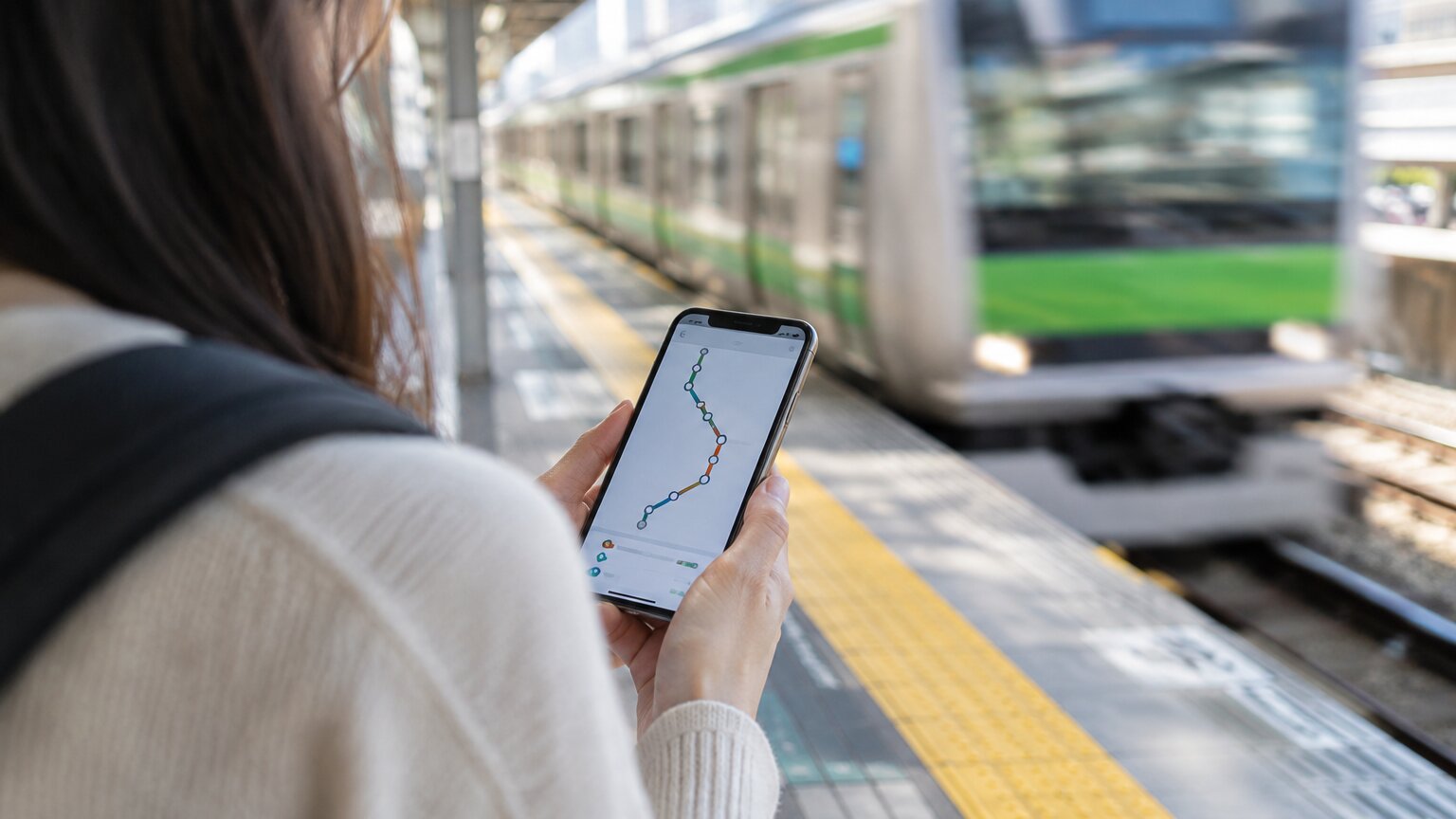
Once the flights are booked, the next question is what to put on your phone. Most lists of Japan travel apps run to a dozen or more, and some of those apps need a Japanese phone number to sign up or only work in Japanese, which you would rather learn at home than at the ticket gate.
Before you fly, install at least Japan Transit Planner (or rely on Google Maps) for train routes, Google Translate, GO for taxis (Uber works too if you already have it) and the Safety tips earthquake and tsunami alert app. On an iPhone, add a mobile transit card: Welcome Suica Mobile, or Suica or ICOCA in Apple Wallet. The full list below has 13 apps, in the order you will need them on a trip.
Each app on the list meets three tests: it is still updated in 2026, its official pages confirm an English interface, and it either works without a Japanese phone number or we say which step needs one. Details come from each app's official site, its App Store and Google Play listings, and notices from Japanese government bodies, all checked in September 2026. Aizzie, which appears under trip planning, is this site's own planner.
Key Takeaways
- For train routes, use Japan Transit Planner or Japan Travel by NAVITIME. Both have English interfaces. Hyperdia no longer searches real timetables.
- On an iPhone, use Welcome Suica Mobile or add Suica or ICOCA in Apple Wallet. Android phones bought outside Japan have no official mobile transit card yet, so buy a physical Welcome Suica.
- From 1 November 2026, tax-free shopping in Japan becomes a refund: you pay the tax in the store and claim it back at the airport, with the goods in your carry-on.
The table covers the 13 apps in this post, plus Visit Japan Web, a website you need for entry, and PayPay, which you will see in shops but may not need to install. The language column lists only what the official pages state.
| App | What it does | Official interface languages | Platform |
|---|---|---|---|
| Aizzie | Trip planning | English, Traditional Chinese | Web and mobile app (sign-up required) |
| Visit Japan Web | Immigration, customs and tax-free QR codes | English and others | Website only (no official app) |
| Safety tips | Earthquake, tsunami and weather alerts | 5, including English | Mobile app |
| Japan Transit Planner | Train routes | 12, including English | Mobile app and web |
| Japan Travel by NAVITIME | Routes, tickets, trip planning | 13, including English | Mobile app |
| Google Maps | Walking, places, some live departures | Follows your device language | Mobile app and web |
| smartEX | Shinkansen tickets | English | Mobile app |
| GO | Taxis | Japanese, English | Mobile app (overseas numbers accepted) |
| Welcome Suica Mobile | Mobile Suica transit card | English (App Store listing) | iPhone and Apple Watch only |
| PayPay | QR code payments | Japanese, English (App Store) | Mobile app (sign-up needs a Japanese number) |
| Google Translate | Camera and conversation translation | Many, including English | Mobile app |
| VoiceTra | Speech translation | 33 languages, including English | Mobile app (needs a connection) |
| Payke | Scan product barcodes for translated labels | 7, including English | Mobile app |
| Tabelog multilingual app | Restaurant search and booking | English, Traditional Chinese, Korean | Mobile app |
| ecbo cloak | Luggage storage | English, Japanese, Traditional Chinese | Mobile app |
Languages and rules change. The table reflects official pages as of September 2026.
Transit apps tell you how to get from A to B. Before the trip, you also have to decide where to go each day and in what order, and Aizzie is an AI trip planner for that step. Enter a destination and dates, then pick a travel style and interests, and it drafts a day-by-day itinerary. You can change a single day or optimize the route in its copilot chat. Each leg shows the travel mode, time, distance and a Google Maps directions link, and place data comes from Google Maps, with opening hours and ratings. Tripmates can co-edit in a browser without installing the app, though each needs an account.
For train times on the day, use Japan Transit Planner or Google Maps. Aizzie's core features are free after sign-up with no credit card, and its mobile app shows your trips offline. For other AI planners, see the best free AI trip planners in 2026, and if you drafted the trip in ChatGPT, see what ChatGPT gets right as a trip planner.
To draft a day-by-day plan for Tokyo or Osaka before you go, start a trip in Aizzie.
Sign up for Aizzie free
Visit Japan Web is a website run by Japan's Digital Agency, not an app. It generates the QR codes for immigration and customs, and tax-free shopping uses it too (Digital Agency). You can enter your details on a computer, but at the airport you show the QR code on a phone or tablet (same source). In December 2023 the Digital Agency warned about suspicious apps such as "Visit Japan Web Info". The service has no app, and the agency asks anyone who installed one to delete it (Digital Agency).
For free Wi-Fi, Japan Wi-Fi auto-connect works in 16 languages, including English. The older version of the app shut down on 31 March 2025 (NTT-BP).
Safety tips is a free app supervised by the Japan Tourism Agency, with an interface in 5 languages, including English. It pushes earthquake early warnings, tsunami, volcano, weather and heatstroke warnings, and civil protection alerts for up to 5 locations in Japan that you choose. It also has communication cards and a list of medical institutions that accept foreign patients (App Store).
For train routes, Japan Transit Planner and Japan Travel by NAVITIME are the most useful. Both have English interfaces. Google Maps is better for walking and finding places.
Japan Transit Planner is the multilingual version of Jorudan's Norikae Annai (乗換案内), with an interface in 12 languages, including English (Jorudan). Since August 2026, route searches in the app can include taxi legs booked through GO, S.RIDE or DiDi, and bike-share legs. The web version does not have this (same source). JR Pass and Tokyo Subway Ticket holders can filter for routes their pass covers. The app also has a paid PREMIUM mode, which is what you need for offline use (Google Play).
Japan Travel by NAVITIME supports 13 languages, including English. Since 3 July 2025 you can buy tickets such as the Skyliner, Nankai's rapi:t and the Tokyo Subway Ticket inside the app (NAVITIME JAPAN). It can show routes covered by the JR Pass and find free Wi-Fi and ATMs offline, and some advanced features are paid (App Store). You can also save places, build a timeline itinerary and browse more than 200 itineraries from editors and other users (Google Play). In the App Store the app is listed as "Japan Travel - Smart Transit".
Google Maps shows live departure times at some stations (Google Maps Help). Its offline maps do not include transit, cycling or walking directions (Google Maps Help), so for trains you still want one of the two apps above.
Tokyo Metro's official app, Tokyo Metro For Tourists, supports 6 languages, including English (Tokyo Metro). It covers airport access, how to ride and sightseeing tips, and its store description does not list route search (App Store). For subway routes, use Japan Transit Planner, NAVITIME or Google Maps.
Older guides still recommend Hyperdia. It stopped timetable search on 31 March 2022 and now offers only average-time search, on data last updated in December 2022 (Hyperdia). For real departures, use Japan Transit Planner or NAVITIME.
There is no single JR app in English. JR East's own app, JR東日本アプリ, is Japanese only, as JR East says in its replies on Google Play (Google Play). Booking works through a different app or website depending on the JR company. For route searches on JR lines, use the apps above.
For the Tokaido, Sanyo and Kyushu Shinkansen, book with JR Central's smartEX app. Its interface is in English only, it cannot reserve seats for JR Pass holders, and you need to register as a member with a credit card (smartEX App Store). For JR East lines, use the JR-EAST Train Reservation website, which also cannot reserve seats for JR Pass holders (JR East). JR West's JR-WEST ONLINE TRAIN RESERVATION is also a website rather than an app (JR West). If you bought your JR Pass on the official site, you can reserve seats there online (JAPAN RAIL PASS).
Some JR East local trains around Tokyo have Green Cars. Riding in one takes a Green Car ticket on top of the basic fare, even if you only stand in the aisle or by the doors (JR East). With Welcome Suica Mobile you can buy a Suica Green Car ticket in the app before boarding. If you wait and buy one from the attendant on board, you pay the regular fare, which is higher than the in-app price (JR East). Suica Green Car tickets can only be bought with Suica, PASMO, Kitaca or TOICA. An ICOCA in Apple Wallet will not work, so buy a paper Green Car ticket instead (JR East).
GO books taxis in all 47 prefectures of Japan and takes international credit cards and Apple Pay (GO). You can sign up with an overseas phone number (GO App Store). The app runs only in Japanese or English, switching automatically with your phone's language, and has no language setting (GO Help Center). The App Store listing names more languages than that, so if your phone is set to another language, expect English.

Uber books taxis in 34 prefectures (Uber Japan), and DiDi covers 38 (DiDi press release). Since mid-February 2026, the DiDi app can also book S.RIDE partner taxis in Tokyo's 23 wards (DiDi Mobility Japan).
On an iPhone, use Welcome Suica Mobile or add Suica or ICOCA in Apple Wallet. Android phones bought outside Japan have no official mobile transit card for now. Suica is a rechargeable IC card: top it up, then tap it to ride trains and buses and to pay in shops. PayPay registration needs a Japanese mobile number, but many overseas wallet apps work at PayPay stores without it.
What works in each case:
| Device or service | What you can use | Limits |
|---|---|---|
| iPhone | Welcome Suica Mobile, or Suica or ICOCA in Apple Wallet | Welcome Suica Mobile is not in every country's App Store; PASMO needs the iPhone region set to Japan |
| Android phone bought outside Japan | No official mobile transit card yet | Overseas Galaxy phones get Welcome Suica Mobile in the first half of 2027; until then, use a physical card such as Welcome Suica |
| PayPay | A supported overseas wallet app at PayPay stores | Registering PayPay itself needs a Japanese number; from 31 August 2026 most credit cards can no longer be linked |
Welcome Suica Mobile is JR East's mobile Suica for visitors, launched in March 2025 (JR East press release). It works only on iPhone and Apple Watch (App Store). You can top it up with a credit card in Apple Pay, or with cash at ticket machines once you are in Japan (JR East).
The card is valid for 180 days, after which any balance is lost and not refunded. The terms say there is no deposit and the linked credit card must be in your own name (JR East terms of use). The App Store lists English as its language (App Store).
Welcome Suica Mobile is not in every country's App Store: JR East says it is published only in some countries (JR East). In September 2026 it was listed in the US, Japanese and Taiwanese App Stores but not the Hong Kong one. If you cannot find it, add Suica or ICOCA in Apple Wallet (below). JR West says ICOCA can be issued in any region where Apple Pay is available (JR West).
Adding ICOCA or PASMO to Apple Wallet needs an iPhone 8 or later (Apple Support). ICOCA can be topped up with Visa, Mastercard, JCB or American Express, but cannot be refunded in Wallet (JR West). PASMO requires you to set your iPhone's region to Japan before adding the card (PASMO).
On an iPhone 8 or later you can also add Suica directly in Apple Wallet, and Apple's requirements do not say the phone must be bought in Japan (Apple Support). A new card needs a top-up when you add it (JR East). JR East's separate Suica app lists only Japanese in the App Store (App Store). JR East also warns that some countries or regions restrict issuing or topping up Suica, and suggests trying again after you arrive in Japan (JR East).
On Android, adding transit cards to Google Wallet works only in Japan and needs a phone with Osaifu-Keitai (Google Wallet Help). Galaxy phones sold outside Japan are due to get Welcome Suica Mobile in the first half of 2027 (JR East press release). Until then, buy a physical Welcome Suica at the Narita or Haneda airport stations or at major JR stations such as Tokyo and Shinjuku. It needs no deposit, is valid for 28 days from purchase, can only be topped up with yen in cash, and any leftover balance is not refunded (JR East).
Signing up for PayPay needs a Japanese mobile number; overseas numbers are not accepted (PayPay Help). From 31 August 2026, PayPay no longer takes credit cards for payment, apart from the PayPay Card and some Sumitomo Mitsui cards (PayPay).
You may not need a PayPay account at all. As of June 2026, PayPay stores accepted 35 overseas payment services from 17 countries and regions (PayPay press release). If your home wallet app is on PayPay's list, you pay at PayPay stores with that app, without registering for PayPay. Check the list for your wallet before you go, and at the till, look for your wallet's logo.
Google Translate reads signs, menus and handwriting through the camera and has a two-way conversation mode. Japanese is among its supported languages (Google Translate App Store). Download Japanese in advance and it translates offline too (Google Translate Help).

Papago supports 14 languages, with photo translation and two-person conversation translation, and its text translation works offline (Papago App Store).
VoiceTra comes from Japan's National Institute of Information and Communications Technology (NICT). It translates speech between 33 languages, is free, needs an internet connection, and translates each result back into your language so you can check the meaning (VoiceTra, App Store).
Payke scans product barcodes and shows product information in your language, which helps in drugstores and supermarkets. It supports 7 languages, including English (Payke Google Play).
From 1 November 2026, Japan's tax-free system changes: you pay the price with tax in the store and get the tax back when you leave Japan, at the airport or seaport (Japan Tourism Agency). Leave Japan within 90 days of purchase and have the goods confirmed at a tax-free kiosk at the airport or port with your passport. Keep the goods in your carry-on: once they are checked in, you cannot claim (same source).
At 7 airports (Narita, Haneda, Kansai, Chubu, Fukuoka, New Chitose and Naha) you can claim online through Visit Japan Web in a dedicated Wi-Fi zone. The threshold is ¥5,000 or more before tax at one store on one day. If the procedure makes you miss your flight, neither the airline nor customs is responsible (Japan Tourism Agency).
For finding and booking restaurants, start with Tabelog's multilingual app. TableCheck and the Rakuten Gurunavi foreign-language website fill the gaps.
Tabelog's multilingual app launched on 17 November 2025 as a separate version for visitors, and you can book online without phoning the restaurant (Business Wire). You can find restaurants on a map, then enter a time and party size to see open tables (Tabelog).
TableCheck lists 23 supported languages (TableCheck). Some restaurants ask for card details when you book, but you still pay for the meal at the restaurant on the day (TableCheck Help). Gurunavi's option for visitors is the Rakuten Gurunavi foreign-language website, in English, Traditional Chinese, Simplified Chinese and Korean (Gurunavi press release). Its app lists only Japanese in the App Store (App Store), so use the website.
These still show up in Japan travel app lists, but official information says they no longer suit visitors.
The Japan National Tourism Organization's Japan Official Travel App could not be found in the App Store or Google Play in September 2026, and no shutdown notice has been published. tenki.jp, the Japan Weather Association's official weather app, has a store description entirely in Japanese, with no mention of an English interface (tenki.jp Google Play). For weather, let Safety tips send you warnings, or search Google. Hot Pepper Gourmet closed its overseas websites, including the English one, on 6 January 2026 (Hot Pepper Gourmet notice, archived), and its Japanese app supports only Japanese (Google Play). Hyperdia's timetable search has also ended (see the Hyperdia section above).
ecbo cloak lets you leave bags at cafés, shops, post offices and station counters, including large luggage that will not fit in a coin locker. It covers major cities in all 47 prefectures, has an interface in English, Japanese and Traditional Chinese, and takes payment by credit card (ecbo cloak App Store).
To rent a power bank, use ChargeSPOT. Since November 2025, some ChargeSPOT units let you rent by tapping a credit card, with no app needed, on a touchscreen that has English (ChargeSPOT).
Going to Korea or Thailand as well? See Korea travel apps and Thailand travel apps.
At minimum, install Japan Transit Planner or Google Maps for train routes, Google Translate, GO for taxis (Uber works too if you already have it) and the Safety tips earthquake and tsunami alert app. On an iPhone, add a mobile transit card: Welcome Suica Mobile, or Suica or ICOCA in Apple Wallet. For entry, use the Visit Japan Web website; there is no official app.
Of the apps in this list, only PayPay officially requires a Japanese mobile number, and overseas numbers are not accepted (PayPay Help). GO accepts overseas phone numbers (GO App Store).
Not on an Android phone bought outside Japan, for now. Adding transit cards to Google Wallet works only in Japan and needs a phone with Osaifu-Keitai (Google Wallet Help). Samsung Galaxy phones sold outside Japan are due to support Welcome Suica Mobile in the first half of 2027 (JR East press release). Until then, use a physical IC card such as Welcome Suica, sold at the airport stations.
For route searches, Japan Transit Planner and Japan Travel by NAVITIME both have English interfaces and filter for JR Pass routes, and Google Maps shows live departures at some stations. Hyperdia stopped timetable search in 2022. To book the Tokaido, Sanyo or Kyushu Shinkansen, use smartEX; JR East and JR West take bookings on their websites.
No. Visit Japan Web is a website run by Japan's Digital Agency, and the agency has warned that apps using its name, such as "Visit Japan Web Info", are not official (Digital Agency).
From 1 November 2026, you pay the price with tax in the store and claim the tax back at the airport or seaport when you leave. Keep the goods in your carry-on; once they are checked in, you cannot claim (Japan Tourism Agency).
To have each day's stops and connections worked out before you land, build the trip in Aizzie.
Sign up for Aizzie freeThe Korea travel apps worth installing in 2026, by trip stage: taxis, NAVER Map, subway, T-money and WOWPASS, translation and food, plus K-ETA and e-Arrival.
The Thailand travel apps worth installing in 2026, by trip stage: Grab and Bolt, Google Maps, MRT and BTS payment, 12Go and LINE MAN, plus the TDAC arrival card.
Compare 8 free AI trip planners on input formats, collaboration, sign-up gates and offline access, plus where AI itineraries break and how to check them.
Plan your trip with Aizzie
Sign up free