Korea Travel Apps 2026: 14 Apps to Download Before You Go
The Korea travel apps worth installing in 2026, by trip stage: taxis, NAVER Map, subway, T-money and WOWPASS, translation and food, plus K-ETA and e-Arrival.
The Thailand travel apps worth installing in 2026, by trip stage: Grab and Bolt, Google Maps, MRT and BTS payment, 12Go and LINE MAN, plus the TDAC arrival card.
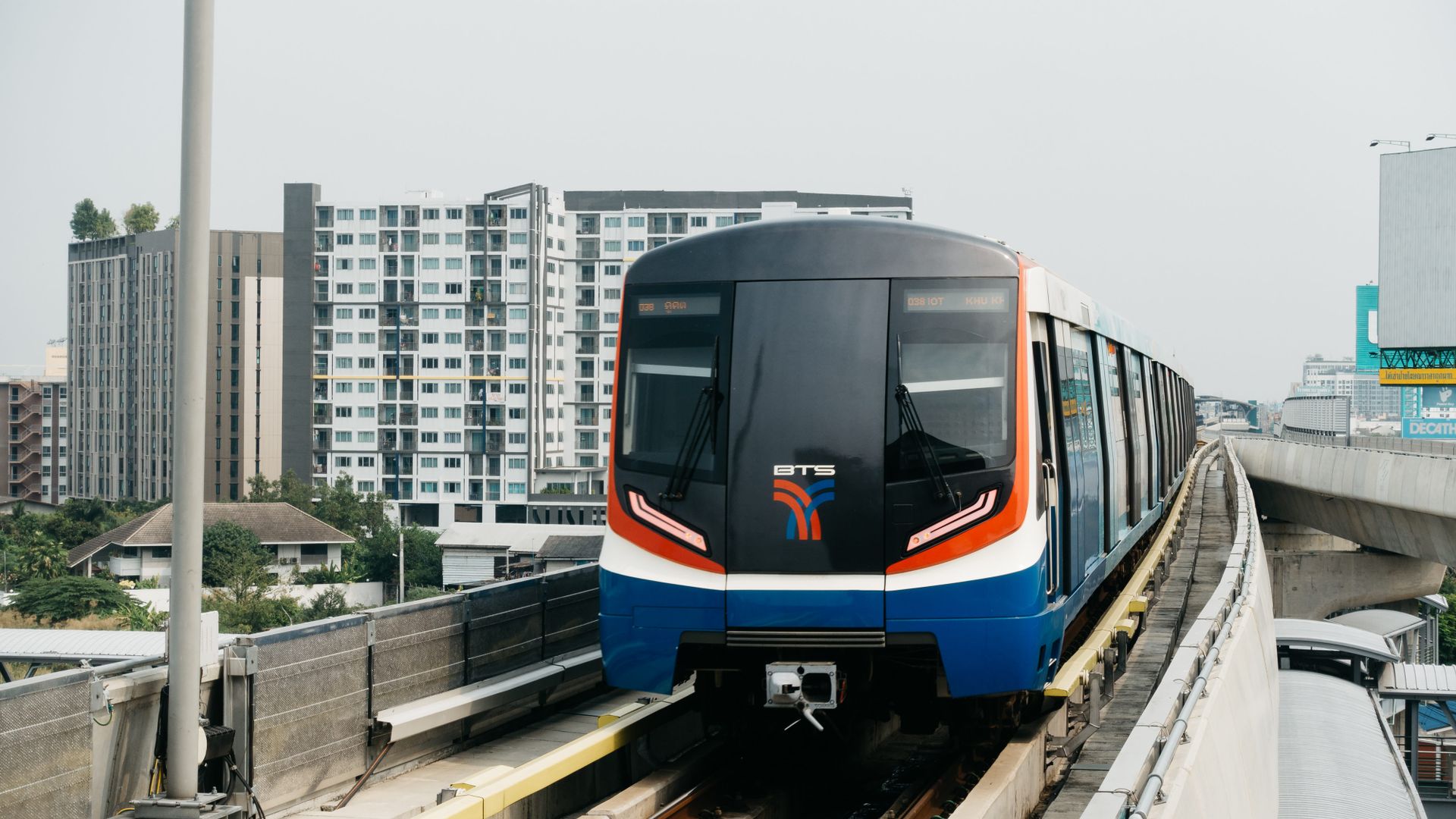
Once the flights to Bangkok are booked, the next question is what to put on your phone. Lists of Thailand travel apps still recommend apps that have closed, and most leave out the one thing every visitor has to do before landing: file an arrival card.
Before you fly, file the Thailand Digital Arrival Card (TDAC) online within the 3 days before you arrive, on the official website or in the Immigration Bureau's THIM app. For rides, install Grab or Bolt. For getting around, use Google Maps and ViaBus. For food delivery, use LINE MAN. In Bangkok, you can tap a contactless Visa or Mastercard credit card at MRT Blue and Purple line gates, but the BTS Skytrain still needs a ticket or a Rabbit card. The full list below has 13 apps, in the order you will need them on a trip.
Each app on the list other than Aizzie meets three tests: it was last updated in 2025 or 2026, its App Store listing includes English, and it is listed in the US, UK and Australian App Stores. Details come from official app store listings, operator websites, Thai and UK government pages and news reports, all checked in October 2026. Aizzie, which appears under trip planning, is this site's own planner.
Key Takeaways
- Every foreign visitor has had to file the TDAC online before arrival since 1 May 2025, within the 3 days before landing. Since 15 September 2026, a stay under Thailand's visa exemption scheme is limited to 30 days for tourism, depending on your passport.
- For rides, install Grab or Bolt. Grab takes a card in the app or cash. Bolt takes a card in the app, and cash where it is available.
- In Bangkok, the MRT Blue and Purple lines accept Visa, Mastercard and UnionPay contactless credit cards. The BTS Skytrain still runs on single-journey tickets and Rabbit cards.
The table covers the 13 travel apps for Thailand in this post. The language column lists interface languages from each app's App Store listing, not the languages it can translate.
| App | What it does | Interface languages (App Store) | Notes |
|---|---|---|---|
| Aizzie | Trip planning | English | Web and mobile app (sign-up required) |
| Amazing Thailand | Official tourism guide | English | Tourism Authority of Thailand |
| THIM | Arrival card (TDAC) | English | Immigration Bureau; the website also works |
| Grab | Rides, taxis, food delivery | 11, including English and Thai | Card in the app or cash |
| Bolt | Rides, taxis | 40+, including English and Thai | Card in the app; cash where available |
| Google Maps | Directions, places | 40+, including English and Thai | |
| ViaBus | Live buses, boats and trains | 5, including English and Thai | Bangkok, Chiang Mai, Phuket |
| BEM MRT | MRT Blue and Purple line routes | English | MRT gates take contactless credit cards |
| 12Go | Trains, buses, ferries between cities | English | Islands included |
| LINE MAN | Food delivery | English, Thai | |
| Google Translate | Text, camera and conversation translation | 70+, including English and Thai | |
| LINE | Messaging | 17, including English and Thai | |
| Thailand Tourist Police | Contact the Tourist Police, alerts | English | Works without a Thai SIM |
Languages and store listings change. The table reflects the App Store as of October 2026.
Map apps tell you how to get from A to B. Before the trip, you also have to decide where to go each day and in what order. Bangkok's sights are spread across the old town, the riverside and Sukhumvit, and a sensible order means fewer rides on the day. Aizzie is an AI trip planner for that step. Enter a destination and dates, then pick a travel style and interests, and it drafts a day-by-day itinerary.
You can change a single day or optimize the route in its copilot chat. Place data comes from Google Maps, with opening hours and ratings. Each leg shows the travel mode, time and distance, with a Google Maps link for directions.
Tripmates can co-edit in a browser without installing the app, though each needs an account. Core features are free after sign-up with no credit card. The mobile app shows your trips offline.
On the day, Grab or Bolt takes you between stops, and Google Maps or ViaBus shows the way. For other AI planners, see the best free AI trip planners in 2026.
To draft a day-by-day plan for Bangkok, Chiang Mai or the islands before you go, start a trip in Aizzie.
Sign up for Aizzie freeAmazing Thailand is the official app of the Tourism Authority of Thailand (TAT) (App Store). TAT announced a revamped version on 24 February 2026, with an AI chatbot and offers from Mastercard (Tourism Authority of Thailand). TAT says the revamped app helps you find places to stay, eat, shop and visit, build an itinerary, and look up safety and VAT refund information (same source).
Since 1 May 2025, every non-Thai national entering Thailand by air, land or sea has had to complete the Thailand Digital Arrival Card (TDAC) online before arrival. You register within the 3 days before you arrive, at tdac.immigration.go.th (Tourism Authority of Thailand).
You can also file it in THIM, the Immigration Bureau's app, published by the Royal Thai Police. It lets you complete the required immigration information before you land (App Store).
How long you can stay depends on your passport. From 15 September 2026, travelers who enter under Thailand's visa exemption scheme can stay up to 30 days, for tourism only (GOV.UK). Lists and guides written before then still say 60 days. Check your own passport in your government's travel advice before you book a longer stay.
Grab and Bolt are the two ride apps to install. Both cover Bangkok and the main tourist cities, and both let you pay by card in the app. Grab also takes cash, and Bolt takes cash where it is available.
Grab books cars, motorbike rides and taxis, and GrabFood delivery sits in the same app (App Store). In Thailand, you pay with cash, a credit or debit card, or GrabPay, and you choose the method when you book (Grab). Visa cards issued outside Thailand work (Grab).
For a Grab from Bangkok's Suvarnabhumi Airport, the pick-up points are at Arrival Exit 4 on the first floor. Fares are shown upfront when you book, except for GrabTaxi, and you can schedule airport rides in advance (Grab).
Bolt runs in Bangkok, Phuket, Chiang Mai and Chiang Rai, with airport transfers at Suvarnabhumi, Don Mueang, Phuket, Chiang Mai and Chiang Rai (Bolt). In Bangkok, you choose between Economy, Bolt and Comfort cars, XL for up to 6 people, local taxis, Motor for a ride on the back of a motorbike, and Ladies, which is for women only and needs verification (Bolt). You can add a card for in-app payment (Bolt). Bolt says cash may also be available, depending on location (same source). Its Thailand driver page refers to both cash and card trips (Bolt).
inDrive is also in the Thai App Store (App Store), if you already use it at home.
Use Google Maps for directions and ViaBus for live bus and boat positions. Know which Bangkok lines take a contactless credit card before you reach the gates.

Google Maps covers directions and places, and its App Store listing includes English and Thai among more than 40 languages (App Store).
ViaBus tracks public transport in real time and plans routes. It covers city buses, the MRT and BTS, river boats, songthaews and airport buses, in areas including Bangkok, Chiang Mai and Phuket (App Store). Its interface is in English, Thai and Japanese, among others (same source).
BEM MRT is the official app of the Blue and Purple lines' operator, Bangkok Expressway and Metro. It plans journeys between stations and nearby landmarks, and shows travel time, last trains and station exits (App Store).
Bangkok's MRT and BTS take different payments, so plan for both.
| Line | How to pay | Notes |
|---|---|---|
| MRT Blue and Purple lines | Contactless Visa, Mastercard or UnionPay credit card | Tap the same card in and out; debit cards only from five Thai banks |
| BTS Skytrain (Green, Gold) | Ticket, One-Day Pass or Rabbit card | Some machines also take notes and QR payments |
On the MRT Blue and Purple lines, you tap a contactless credit card from any Thai or international bank under Visa, Mastercard or UnionPay, and you use the same single card at the entry and exit gates (BEM). Debit cards work only when issued by one of five Thai banks, and the international cards BEM lists are credit cards (same source), so bring a credit card for the MRT.
On the BTS Skytrain, you buy a single-journey ticket or a One-Day Pass, or use a stored-value Rabbit card (BTS). Ticket machines take coins, and the machines with banknote acceptance also take notes and QR payments (same source). For QR payment, use WeChat, Alipay or a mobile banking app (BTS). A single-journey ticket is valid only on the day you buy it (BTS).
Bank cards do not yet work at BTS gates. The operator is preparing contactless readers for the Green and Gold lines, but a local report in April 2026 said they would not be ready within 2026 (Hua Hin Localplus).
If you will ride the BTS more than a few times, a Rabbit card saves queuing at the machines. A Rabbit card carries no card deposit. You add value at BTS, MRT Yellow Line, MRT Pink Line and BRT ticket offices, at ticket machines in every station, or through the My Rabbit and LINE Pay apps (BTS).
BTS and Bangkok Smartcard System, which runs the Rabbit card, also have their own apps, THE SKYTRAINs and My Rabbit, but their store descriptions are in Thai only (App Store, App Store).
For trips between cities and to the islands, use 12Go. It books trains, buses, ferries, vans and transfers. Its Thailand destinations include Bangkok, Chiang Mai, Chiang Rai, Pai, Pattaya, Phuket, Surat Thani, Koh Samui, Koh Phangan, Koh Tao and Koh Phi Phi (App Store).

The State Railway of Thailand has its own booking app, SRT D-Ticket, with a store description in Thai (App Store). For flight times at the main airports, Airports of Thailand's SAWASDEE by AOT app has flight alerts and a live flight board (App Store).
For food delivery, use LINE MAN or GrabFood.
LINE MAN delivers food and more, and its interface is in English and Thai (App Store). GrabFood is part of the Grab app (App Store), so if you installed Grab for rides, you already have it.
foodpanda no longer delivers in Thailand. See "Apps and advice to skip from older lists" below.
For translation, use Google Translate, and for messaging, use LINE.
Google Translate translates between Thai and English, by typing, by pointing the camera at text, from photos and in two-way conversations. Feature support varies by language (App Store). To translate without an internet connection, download languages onto your phone in advance, while you are on Wi-Fi. In the Translate app, tap Download next to the language. If there is no Download option, that language can't be downloaded. A downloaded language may also work with the camera (Google Translate Help).
LINE is the messaging app to install for Thailand. Its interface includes English and Thai (App Store). The Tourism Authority of Thailand launched a LINE account, TAT Contact Center, in 2020 to answer travel questions in Thai and English. TAT's call center is 1672, open 24 hours (Tourism Authority of Thailand).
Install the Tourist Police app and save the emergency numbers before you go: tourist police 1155, police 191, ambulance 1669 and fire 199 (GOV.UK).
The Royal Thai Police's Thailand Tourist Police app lets visitors contact the Tourist Police online, including visitors without a Thai SIM card. It also gives information about attractions and alerts about natural disasters or safety concerns in the area (GOV.UK, App Store).
These still show up in Thailand travel app lists, but they no longer apply.
foodpanda ended all its services in Thailand on 23 May 2025 (Nation Thailand). The app is still in the Thai App Store because foodpanda runs in other countries, so installing it for Thailand gets you nothing. Use LINE MAN or GrabFood instead.
Foursquare City Guide shut down its app on 15 December 2024 (Foursquare). For places and reviews, use Google Maps.
"60 days visa-free" is out of date too. Since 15 September 2026, a stay under the visa exemption scheme is limited to 30 days for tourism, depending on your passport (GOV.UK).
Going to Japan or Korea as well? See Japan travel apps and Korea travel apps.
At minimum, install Grab or Bolt for rides, Google Maps and ViaBus for getting around, LINE for messaging and Google Translate for translation. Before you land, file the TDAC online within the 3 days before you arrive, on the website or in the THIM app.
No app is required, but the arrival card is. Every non-Thai national must complete the TDAC online before arrival, within the 3 days before arriving, at tdac.immigration.go.th (Tourism Authority of Thailand, GOV.UK). The Immigration Bureau's THIM app is another way to file it (App Store).
From 15 September 2026, travelers entering under the visa exemption scheme can stay up to 30 days, for tourism only (GOV.UK). How long you can stay, and whether you can enter visa-free at all, depends on your passport, so check your government's travel advice before you go.
Either works. Both run in Bangkok, Phuket, Chiang Mai and Chiang Rai, and both take a card in the app. Grab also takes cash, and Bolt takes cash where it is available (Grab, Bolt). Grab also handles food delivery in the same app.
On the MRT Blue and Purple lines, yes: tap a contactless Visa, Mastercard or UnionPay credit card from any issuer (BEM). On the BTS Skytrain, not yet. Buy a single-journey ticket or use a Rabbit card (BTS).
To have each day's stops and rides worked out before you land in Thailand, build the trip in Aizzie.
Sign up for Aizzie freeThe Korea travel apps worth installing in 2026, by trip stage: taxis, NAVER Map, subway, T-money and WOWPASS, translation and food, plus K-ETA and e-Arrival.
The Japan travel apps worth installing in 2026, by trip stage: train routes, Suica, taxis, translation and food, with English support and phone-number rules.
Compare 8 free AI trip planners on input formats, collaboration, sign-up gates and offline access, plus where AI itineraries break and how to check them.
Plan your trip with Aizzie
Sign up free